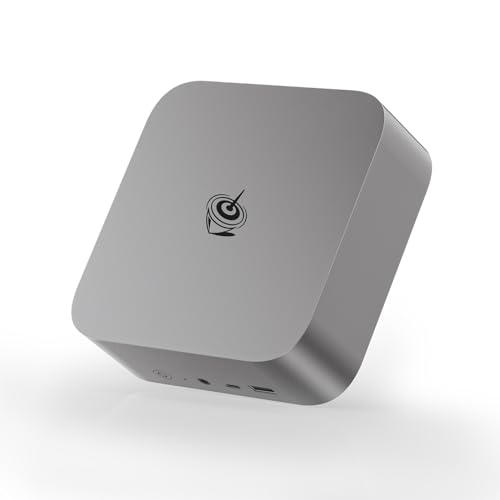
A few years ago, running a serious virtualization server usually meant buying a noisy tower, rack server, or used enterprise machine.
Today, you can build a surprisingly capable Proxmox server from something small enough to sit in the palm of your hand.
That does not mean every mini PC is a good Proxmox machine.
Proxmox cares about different things.
You need enough CPU threads to run multiple guests simultaneously.
You need enough RAM because every VM and container wants a piece of it.
You want fast and reliable storage.
Multiple Ethernet ports can be extremely useful for separating management, VMs, storage and WAN/LAN traffic.
And if you plan to pass a network controller, USB controller, GPU or other PCIe device directly to a virtual machine, IOMMU support becomes important.
That is why the fastest mini PC is not automatically the best Proxmox mini PC.
THE MOST IMPORTANT PROXMOX HARDWARE REQUIREMENTS
CPU VIRTUALIZATION
Intel systems should support VT-x and preferably VT-d.
AMD systems should support AMD-V and AMD-Vi/IOMMU.
VT-x and AMD-V allow Proxmox to efficiently run virtual machines rather than attempting to emulate an entire physical CPU.
VT-d and AMD-Vi/IOMMU become important when you want PCIe device passthrough.
This could mean assigning a physical network controller, USB controller, storage controller or GPU directly to a VM.
RAM IS YOUR REAL PROXMOX CURRENCY
This is where many first-time homelab builders make their biggest mistake.
They buy a powerful CPU and then install 16GB of RAM.
Virtualization quickly eats memory.
STORAGE IS MORE IMPORTANT THAN IT LOOKS
A Proxmox machine constantly reads and writes data.
VM boot drives, databases, Docker containers, logs, snapshots and virtual disks can generate a surprising amount of storage activity.
A fast NVMe SSD is therefore an excellent choice for the Proxmox operating system and VM storage.
But there is an important distinction:
FAST DOES NOT AUTOMATICALLY MEAN RELIABLE.
Consumer NVMe drives can deliver spectacular benchmark numbers while having limited endurance and no power-loss protection.
For a serious server, enterprise SSDs with power-loss protection are preferable when practical. Proxmox's administration guide specifically recommends SSDs with power-loss protection for good performance and discourages relying on ordinary consumer SSDs for production storage.
For a home lab, however, a good consumer NVMe SSD can still be perfectly reasonable when the workload and backup strategy are understood.
ONE SSD OR TWO?
One SSD is enough to get started.
Two or more drives are better.
You can separate:
- Proxmox installation.
- VM storage.
- Backups.
- ZFS pools.
- ISO images.
- Containers.
Some mini PCs provide two or even three NVMe slots, making them considerably more attractive as Proxmox nodes.
NETWORKING CAN MAKE OR BREAK A HOMELAB
For normal desktop computing, one Ethernet port is usually enough.
For Proxmox, multiple NICs can be extremely useful.
You might dedicate one interface to:
- Management.
Another to:
- VM traffic.
Another to:
- Storage.
And another to:
- Router/WAN traffic.
You do not have to configure it this way, but having the ports available gives you options.
2.5GbE has become a particularly attractive middle ground for homelabs.
10GbE becomes valuable when you are moving large VM images, using network storage, running multiple nodes or building a high-speed virtualization cluster.
THE TOP 10 MINI PCs FOR PROXMOX IN 2026
1. MINISFORUM MS-01
If someone asked for a mini PC specifically designed around the needs of a serious Proxmox homelab, the MS-01 would be one of the first machines I would mention.
The MS-01 is not simply a tiny desktop with a fast CPU.
It looks much more like someone took a virtualization server and squeezed it into a compact chassis.
The system can be configured with Intel Core i9-13900H, i9-12900H or i5-12600H processors, supports up to 64GB of dual-channel DDR5-5200 memory, and provides three NVMe slots plus a PCIe 4.0 expansion slot.
But the networking is where it becomes special.
You get:
- 2 × 10GbE SFP+.
- 2 × 2.5GbE RJ45.
- 3 × NVMe positions.
- PCIe 4.0 expansion.
- USB4.
- Up to 64GB DDR5.
That is an extraordinary amount of connectivity for such a small machine.
PROS
- Exceptional networking options.
- Two 10GbE SFP+ ports.
- Two 2.5GbE ports.
- Three NVMe storage positions.
- PCIe expansion slot.
- Powerful 14-core i9-13900H configuration.
- Excellent for virtualization clusters.
- Excellent for virtual routers and firewalls.
- Excellent for storage experiments.
- Compact compared with conventional servers.
CONS
- 64GB RAM limit is restrictive for very large VM environments.
- More expensive than N100-class mini PCs.
- Higher power consumption than low-power homelab machines.
- The i9 configuration can generate significant heat.
- Not ECC memory.
BEST FOR
Serious homelabbers, network engineers, virtualization enthusiasts, security labs and people building multi-node Proxmox environments.
2. MINISFORUM MS-02 ULTRA
THE HEAVYWEIGHT MINI WORKSTATION
The MS-02 Ultra takes the mini-server concept even further.
This is the machine to consider when you want substantially more CPU performance and far more memory than the typical N100 box.
The 2026 MS-02 Ultra can be configured with Intel Core Ultra 9 285HX and supports up to 256GB of memory. Current 2026 mini-PC testing also highlights the system's expansion potential, including support for multiple NVMe drives and high-speed networking.
For Proxmox, the attraction is obvious.
256GB of RAM completely changes the type of virtualization environment you can build.
You can run multiple Windows VMs, Linux servers, databases, development environments, Kubernetes nodes and network appliances without immediately hitting a memory wall.
PROS
- Extremely powerful CPU options.
- Up to 256GB RAM.
- Excellent virtualization performance.
- Huge storage expansion potential.
- High-speed networking.
- Strong option for heavy VM workloads.
- Much more capable than typical N100 mini PCs.
CONS
- Expensive.
- Considerably more power-hungry.
- Overkill for a basic home server.
- Cooling becomes more important.
- Larger and less appliance-like than tiny N100 machines.
BEST FOR
Heavy virtualization, professional homelabs, software development labs, multiple Windows VMs, databases and Kubernetes environments.
3. GMKTEC M6 ULTRA
THE BALANCED PROXMOX WORKHORSE
The GMKtec M6 Ultra is an interesting middle ground.
It uses the Ryzen 5 7640HS with 6 cores and 12 threads and supports up to 128GB of DDR5 memory.
That memory capacity is much more important for Proxmox than its Radeon 760M graphics.
The machine provides two M.2 slots, dual 2.5GbE, USB4 and expandable RAM. Current 2026 testing lists configurations with up to 128GB RAM and up to 8TB of NVMe storage.
PROS
- Up to 128GB RAM.
- Dual 2.5GbE.
- Two NVMe slots.
- Strong six-core CPU.
- Excellent performance per watt.
- USB4 connectivity.
- Good for multiple VMs.
- RAM is upgradeable.
- Good balance between price and performance.
CONS
- No 10GbE.
- No ECC memory.
- Six cores are less impressive for very large VM farms.
- Consumer-oriented rather than server-oriented design.
- Wi-Fi should not be treated as the primary Proxmox network connection.
BEST FOR
A serious home Proxmox server running several VMs and containers without moving into expensive workstation territory.
4. BEELINK SER8
THE QUIET POWER USER
The Beelink SER8 is a strong option when CPU performance matters more than having a giant number of network ports.
The Ryzen 7 8845HS provides 8 cores and 16 threads, giving it substantially more multi-threaded headroom than low-power N100/N150 systems.
That makes it particularly useful for developers who want Proxmox to host several demanding Linux VMs, Windows VMs, databases and development environments.
PROS
- 8 cores / 16 threads.
- Strong Zen 4 CPU performance.
- Upgradeable DDR5 memory.
- Good NVMe performance.
- Efficient compared with desktop-class systems.
- Compact and relatively quiet.
- Good all-purpose virtualization host.
CONS
- Usually only one Ethernet port.
- No 10GbE networking.
- No ECC memory.
- Integrated graphics are unnecessary for most Proxmox workloads.
- Less storage/network expansion than the MS-01.
BEST FOR
Developers and homelab users who need CPU power for VMs but do not require a networking-heavy server.
5. BEELINK EQ14 N150
THE LOW-POWER PROXMOX SPECIALIST
The Beelink EQ14 is almost the opposite of the MS-02 Ultra.
Instead of brute force, it focuses on low power consumption and simplicity.
Its Intel N150 is a 4-core/4-thread processor with a 3.6GHz maximum turbo frequency.
The EQ14 supports up to 16GB of DDR4 and can have two M.2 PCIe 3.0 SSDs. Depending on the configuration, it can also provide dual 2.5GbE networking.
This is exactly the type of machine that makes sense for a small always-on Proxmox node.
PROS
- Extremely low power consumption.
- Four efficient CPU cores.
- Very small.
- Quiet operation.
- Dual M.2 slots.
- Dual 2.5GbE configuration available.
- Cheap enough to deploy several nodes.
- Excellent for lightweight containers.
- Good for Home Assistant, Pi-hole, DNS, VPN and monitoring.
CONS
- 16GB RAM ceiling.
- Only four threads.
- Poor choice for many demanding VMs.
- Single-channel memory.
- Limited expansion.
- Not suitable for serious Windows VM farms.
BEST FOR
Low-power homelabs, network services, lightweight Linux VMs, containers and small Proxmox clusters.
A particularly interesting use is buying two or three inexpensive N150 nodes instead of one expensive machine.
6. MINISFORUM MS-A1
THE AMD HOMELAB EXPERIMENTER
The MS-A1 is aimed at people who want something more flexible than a typical consumer mini PC.
Its attraction is not simply CPU speed.
It is the combination of expandable storage, desktop-class AMD processing and a more flexible platform.
For Proxmox, this type of design makes sense because virtualization eventually turns into an I/O problem as much as a CPU problem.
PROS
- Strong AMD CPU options.
- Upgradeable memory.
- Multiple storage possibilities.
- Good performance for several VMs.
- Compact compared with a tower server.
- Better suited to experimentation than many sealed mini PCs.
CONS
- Not as network-focused as the MS-01.
- Higher power consumption than N100/N150 machines.
- No ECC in typical configurations.
- Can be more expensive than simpler homelab boxes.
BEST FOR
Advanced home labs where storage and compute matter more than having four Ethernet ports.
7. GMKTEC K8 PLUS
THE EXPANSION-FRIENDLY HOMELAB
The GMKtec K8 Plus uses the Ryzen 7 8845HS and provides a useful combination of performance and upgradeability.
It supports expandable DDR5 memory and includes both USB4 and OCuLink.
That OCuLink port is particularly interesting because it provides an upgrade path to an external GPU or other compatible PCIe hardware.
Current specifications and testing list support for up to 96GB of DDR5 memory, dual 2.5GbE and OCuLink.
For ordinary Proxmox usage, the GPU connection may never matter.
But if your homelab evolves into a virtualization laboratory involving GPU workloads, it is nice to have an escape hatch.
PROS
- 8 cores / 16 threads.
- Up to 96GB RAM.
- OCuLink expansion.
- USB4.
- Dual 2.5GbE.
- Good CPU performance.
- Good cooling.
- Upgradeable components.
CONS
- No 10GbE.
- No ECC memory.
- OCuLink configuration can complicate a compact server setup.
- More power-hungry than N-series Intel systems.
- GPU passthrough can require additional configuration.
BEST FOR
Homelabbers who want a Proxmox host that can evolve instead of being permanently locked into its original hardware configuration.
8. BEELINK EQ12 PRO / INTEL N100
THE HOMELAB CLASSIC
The Intel N100 became popular in the homelab world for a very simple reason:
It is cheap, efficient and surprisingly capable for its power consumption.
An N100 machine is not a virtualization monster.
But it does not need to be.
A Proxmox node running Home Assistant, Pi-hole, AdGuard Home, Nginx Proxy Manager, WireGuard, monitoring and a few lightweight Linux containers does not need a 16-core CPU.
The N100 has four cores and four threads and a very low 6W processor base power.
N100 mini PCs such as the Beelink EQ12 can provide 2.5GbE, NVMe storage and additional SATA storage depending on the configuration.
The N100's low power consumption is one of its biggest attractions for machines intended to remain powered on continuously. Contemporary 2026 Proxmox guides continue to recommend N100-class systems for lightweight homelab workloads.
PROS
- Very low power consumption.
- Extremely affordable.
- Excellent idle efficiency.
- Intel Quick Sync is useful for media-server workloads.
- Good Linux compatibility.
- Suitable for lightweight VMs and many containers.
- Easy to deploy multiple nodes.
CONS
- Four cores / four threads.
- Limited RAM on many N100 machines.
- Weak for CPU-heavy VMs.
- Limited storage expansion depending on model.
- Not ideal for Windows virtualization at scale.
BEST FOR
Home Assistant, Pi-hole, Docker, VPN, DNS, reverse proxy, monitoring, lightweight Linux servers and media servers.
9. DELL OPTIPLEX MICRO 7020 / BUSINESS MICRO CLASS
THE BORING OPTION THAT MAKES SENSE
Sometimes the best Proxmox machine is not the exotic mini PC with RGB lighting and an AI sticker.
Sometimes it is a business desktop.
Dell OptiPlex Micro systems have a long history in corporate fleets, which means there is a large ecosystem of used and refurbished hardware.
That makes them particularly attractive to homelab builders who care about reliability and price more than having the newest processor.
A modern OptiPlex Micro configuration can provide a much more conventional PC platform than an ultra-cheap mini PC.
PROS
- Business-oriented construction.
- Excellent availability on the used market.
- Easy to source replacement parts.
- Good Linux compatibility.
- Strong CPU options depending on generation.
- Usually better documentation than obscure mini-PC brands.
- Very inexpensive when bought refurbished.
CONS
- Usually only one Ethernet port.
- Limited storage compared with the MS-01.
- Not designed around multi-NIC homelabs.
- Used units may have unknown histories.
- Compact business systems can use proprietary power supplies and components.
BEST FOR
Budget-conscious homelabbers who prefer proven business hardware and do not need multiple 10GbE interfaces.
10. HP ELITE MINI 800 G9 / BUSINESS MICRO CLASS
THE ENTERPRISE-STYLE ALTERNATIVE
HP's Elite Mini machines follow the same philosophy as Dell's OptiPlex Micro systems.
They are small corporate desktops rather than purpose-built homelab servers.
But that can actually be an advantage.
They are designed for offices, have established support ecosystems, and can often be found refurbished for much less than a brand-new mini PC.
For Proxmox, a properly configured Elite Mini with enough RAM and NVMe storage can make an excellent single-node server.
PROS
- Business-class construction.
- Good CPU options.
- Compact chassis.
- Strong Linux compatibility.
- Easy to find refurbished.
- Usually quieter than traditional servers.
- Excellent price-to-performance on the used market.
CONS
- Usually limited networking.
- Limited internal expansion.
- No 10GbE built in.
- No ECC in typical configurations.
- Used units may have worn fans or SSDs.
- Less flexible than dedicated homelab systems.
BEST FOR
A low-cost Proxmox server for developers, students and home users who want business-class hardware without buying a rack server.
ZFS CHANGES THE MEMORY EQUATION
ZFS is one of Proxmox's most attractive storage options because it provides features such as snapshots, checksumming, compression and storage-pool management.
But ZFS likes memory.
Proxmox recommends approximately 1GB of additional memory per TB of storage used by ZFS or Ceph.
That does not mean you need to buy exactly 64GB because you have 64TB of disks.
It means that memory requirements grow with the storage architecture and workload.
If you want a ZFS-heavy Proxmox server, buying more RAM is generally a much better idea than buying a faster CPU and starving the system of memory.
HOW MANY NETWORK PORTS DO YOU REALLY NEED?
ONE NIC
Perfectly acceptable for:
- Small homelab.
- Basic VMs.
- Home Assistant.
- Development.
- Testing.
TWO NICS
Much more interesting.
You can separate management from another network or create a dedicated WAN/LAN arrangement.
FOUR NICS
Now you can build much more elaborate network labs.
For example:
NIC 1 → Proxmox management.
NIC 2 → LAN.
NIC 3 → WAN.
NIC 4 → Storage or isolated lab network.
10GbE
10GbE becomes particularly useful when you have:
- NAS storage.
- Multiple Proxmox nodes.
- Large VM migrations.
- High-speed backups.
- Ceph.
- Large media files.
This is why the MS-01 is such a standout.
Its two 10GbE SFP+ ports and two 2.5GbE ports make it far more network-capable than ordinary consumer mini PCs.
PROXMOX AND MEDIA SERVERS
If you plan to run Jellyfin or Plex inside Proxmox, Intel systems can have an additional advantage.
Intel integrated graphics with Quick Sync can provide hardware video encoding and decoding support.
That makes an N100-class machine surprisingly attractive as a low-power Proxmox media server.
You can run:
Proxmox → Jellyfin VM/LXC → Intel iGPU acceleration.
The N100's integrated GPU is not powerful for gaming, but that is not what matters here.
For media transcoding, hardware video engines are more important than gaming performance.
GPU PASSTHROUGH
GPU passthrough is where things become more complicated.
You can assign a physical GPU to a VM, allowing the guest operating system to interact with it almost as though it were installed directly inside the VM.
This is useful for:
- Windows gaming VMs.
- AI development.
- Video editing.
- CUDA workloads.
- GPU-accelerated applications.
But mini PCs can be awkward for this.
Many have integrated graphics that share system resources, and IOMMU groupings vary between platforms.
If GPU passthrough is one of your main goals, do not buy a mini PC simply because the specification sheet says VT-d or AMD-Vi.
Research the exact motherboard and IOMMU behavior first.
A dedicated desktop or workstation can be much easier to work with.
WHY THE N100 IS BOTH AMAZING AND LIMITED
The N100 is one of the best examples of matching hardware to workload.
For:
- Pi-hole.
- Home Assistant.
- AdGuard.
- WireGuard.
- Nginx.
- DNS.
- Small Linux containers.
- Lightweight monitoring.
It is excellent for:
- Ten Windows VMs.
- Large databases.
- Heavy compilation.
- Multiple CPU-intensive VMs.
- Large Kubernetes clusters.
It starts looking very small indeed.
The mistake is not buying an N100.
The mistake is expecting an N100 to behave like a workstation.
ONE BIG SERVER OR MULTIPLE SMALL NODES?
This is one of the most interesting Proxmox decisions.
A single powerful machine is simpler.
One machine means:
- One power supply.
- One Proxmox installation.
- One storage system.
- One management interface.
But multiple smaller machines have advantages.
Three inexpensive N100/N150 machines can create a Proxmox cluster.
If one node goes offline, the others remain available for workloads that are configured appropriately.
You also gain a realistic environment for learning:
- Clustering.
- Migration.
- Replication.
- High availability.
- Network segmentation.
This is one reason inexpensive N-series mini PCs remain popular in homelabs. Their low power consumption makes it practical to leave multiple nodes running continuously.
THE BIGGEST PROXMOX BUYING MISTAKES
BUYING TOO MUCH CPU
A 16-core processor is useless if your workload only needs four cores and you have no RAM left for your VMs.
BUYING TOO LITTLE RAM
This is probably the most common mistake.
32GB is a much safer starting point than 16GB for a serious homelab.
IGNORING NETWORKING
One Ethernet port can become annoying surprisingly quickly.
BUYING A MINI PC WITH SOLDERED RAM
If you know your VM requirements will grow, upgradeable RAM is extremely valuable.
IGNORING STORAGE EXPANSION
Your first 500GB SSD may seem enormous.
Then you create five VMs, download several ISO images, start keeping snapshots and suddenly the disk is full.
IGNORING COOLING
Virtual machines can keep a CPU busy for hours.
A machine that survives a five-minute benchmark is not necessarily a great 24/7 server.
FORGETTING BACKUPS
RAID is not a backup.
ZFS snapshots are not a backup.
A second SSD inside the same machine is not a complete backup strategy.
If the machine dies, you want another copy somewhere else.

log in to post a comment.