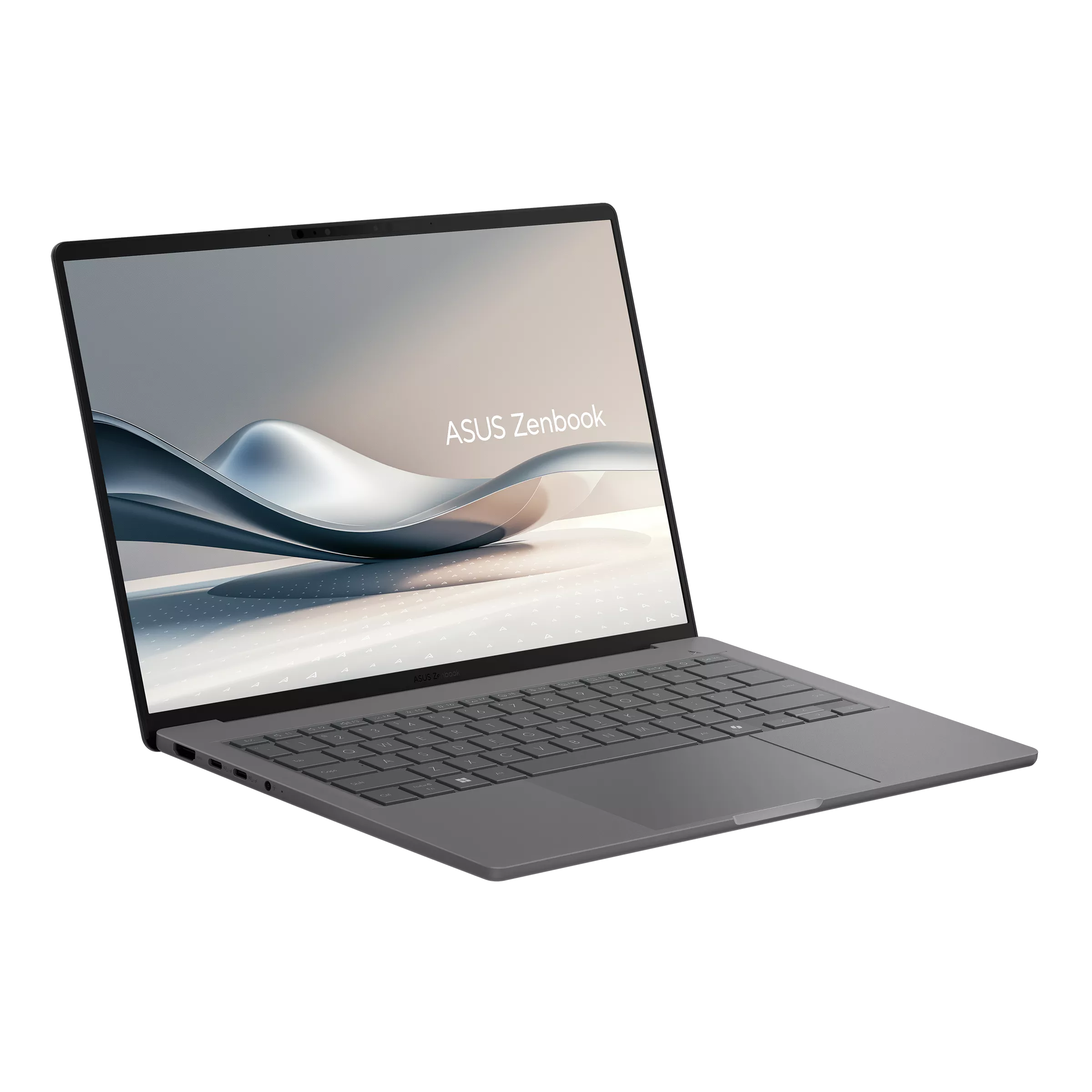
Image of Zenbook A14 (UX3407)

ASUS Zenbook A14 (UX3407)

Release Year 2025
CPU Qualcomm snapdragon X1
Operating System Windows 11 Home / Pro
Screen Size 14.0"
RAM 16GB,32GB
Storage 128GB,256GB,512GB SSD

Key Information

Brand
ASUS
Category
prosumer
Model
Zenbook A14 (UX3407)
Release Year
2025
Colors
Operating System
Windows 11 Home / Pro

Processor

Processor Series
Qualcomm snapdragon X1
NPU
Hexagon NPU (up to 45 TOPS)
Processor Options
Snapdragon X X1‑26‑100
Snapdragon X Plus X1P‑42‑100
Snapdragon X Elite X1E‑78‑100

Graphics

GPU Series
Qualcomm Adreno

Memory & Storage

Memory
16GB,32GB
Max: 32GB
Upgradable: No
Memory Max
32GB
Storage
128GB,256GB,512GB SSD
Max Capacity: 1TB
Interface: M.2 SATA
Storage type: SSD
Upgradable: Yes
Storage Slot
1x M.2

Display & Body

Display
14.0"
Resolution: 1920 × 1200 (WUXGA)
Refresh Rate: 60Hz
Brightness (SDR): 400nits
Brightness (HDR): 600nits
Aspect Ratio: 16:10
Color Gamut: 100% DCI‑P3
Contrast: 1,000,000:1
HDR: VESA DisplayHDR True Black 600
Panel Type: OLED
Dimensions
310.7 × 213.9 × 13.4–15.9 mm
Weight
0.98 kg
Build Material
Ceraluminum chassis
Keyboard Type
Backlit Chiclet
Key Travel
1.3 mm
Touchpad
Precision Touchpad, Smart Gesture
Camera
FHD AI IR webcam (Windows Hello)

Connectivity

Wireless
Wi‑Fi 7 + Bluetooth 5.4

Ports

USB-A
1 × USB 3.2 Gen 2
USB-C
2 × USB4 (support DisplayPort + Power Delivery)
HDMI
1 × HDMI 2.1
Audio Jack
3.5mm combo
microSD
N/A

Audio & Keyboard

Audio System
Speakers: Dual super-linear speakers, Smart Amplifier, Dolby Atmos
Microphone: Built-in array mic
Keyboard
Type: Backlit Chiclet
Key Travel: 1.3 mm
Touchpad: Precision Touchpad, Smart Gesture

Security & Compliance

Power & Battery

Battery Details
70 Wh Li-ion
Power Adapter
65W or 90W USB‑C (depending on model)
In The Box
USB-C charger, sleeve, documentation
Warranty
1 year standard (may vary by region)

Use Case Suitability (BETA Version)

Excellent for running 13B–70B local AI models efficiently for development, inference, and experimentation.

Developers
6.2/10
Office Work
7.2/10
Netflix & browsing
2.8/10
Creative Work
3.8/10
Gaming
3.9/10
Local LLMs
8.6/10
Highest hardware configurations used.
Best For: • Local LLMs

Quick Review

Please note this is an algorithmic review and it may not cover or be correct on everything

Overview

The ASUS Zenbook A14 (UX3407), released in 2025 enters the prosumer market with a clear focus on the creative community it is designed for creative professionals who need a portable workstation capable of handling demanding media workflows. The color-accurate display and powerful hardware make this a serious tool for photographers, video editors, and designers.

Performance

The Qualcomm snapdragon X1 processor provides capable performance for prosumer computing needs. . The memory configurations available include 32GB of , providing generous headroom for heavy multitasking, virtual machines, and memory-intensive applications. This is an ideal configuration for professionals who push their systems to the limit storage configurations available include a 512GB Unknown The storage is user-upgradeable, allowing for future expansion

Display & Multimedia

The OLED display serves its purpose for typical productivity tasks The wide color gamut (100% DCI‑P3) and professional-grade accuracy make it suitable for color-critical creative work, such as photo editing, graphic design, and video color grading The audio system features Dolby Atmos support, delivering a wider soundstage with immersive spatial audio that enhances movies, music, and supported games.

Design & Build

The keyboard offers comfortable key travel and responsive feedback for long typing sessions, making extended work periods more comfortable with backlighting that makes working in dim environments easy

Connectivity

The port selection includes 2x USB-C ports for modern device connectivity, supporting data transfer, charging, and display output, 1x USB-A ports for legacy device compatibility, ensuring your older peripherals work without adapters, an HDMI port for external display connectivity, making it easy to connect to monitors, projectors, and TVs, and a 3.5mm audio jack for wired headphones and microphones. Wireless connectivity includes The wireless connectivity provides reliable network access for everyday computing needs. Bluetooth connectivity ensures compatibility with wireless peripherals and accessories.

Key Strengths

Two key strengths define this laptop: premium build quality with durable materials and color-accurate screen suitable for photo editing. These features work together to create a focused, capable machine

Considerations

The laptop has some compromises including integrated graphics will cap performance in heavier gaming or creative workloads, missing SD card slot for photographers and content creators, and small battery limits time away from outlets. Understanding these tradeoffs helps match the laptop to the right use case

Who Is This For?

This laptop is best suited for users seeking a balanced computing experience, and it also appeals to business professionals and remote workers who need reliability and smooth workflow when working on documents, spreadsheets, or video conferencing. If your workflow matches these needs, this laptop represents a great choice.
Specs may not be 100% accurate. Variations in ports and features may exist under the same model name due to different SKUs or regional versions.Use-case ratings are provided as guidance only, not as exact facts.Some links on this website are affiliate links. If you make a purchase through them, we may earn a commission at no extra cost to you. This helps support ConsoleSniper and keeps our content free,as an Amazon Associate, I earn from qualifying purchases.

Comments & reviews

No comments yet. Be the first to share your thoughts!