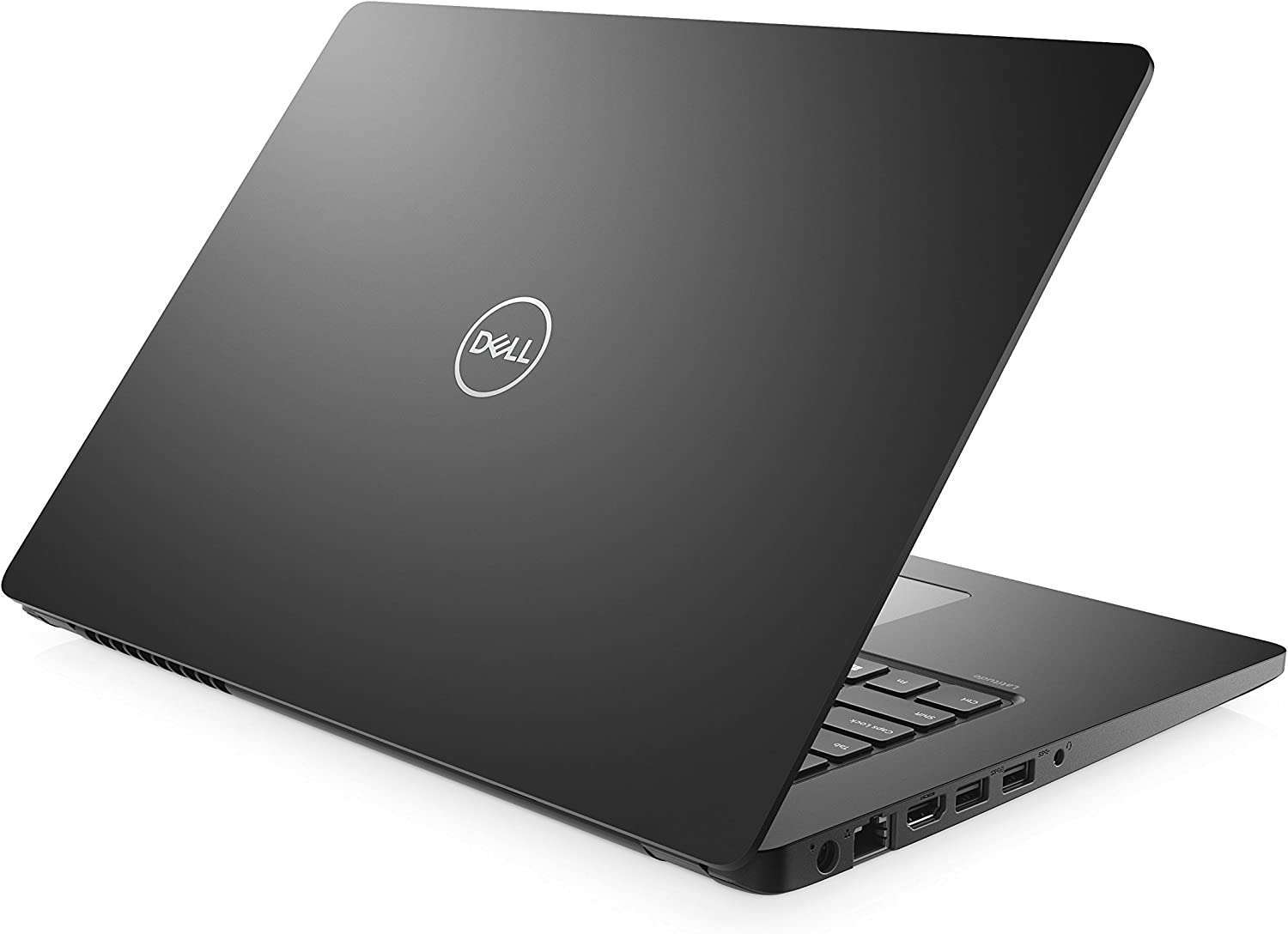
Dell Latitude 3480
Release Year
2017
CPU
Intel Core i 7th Gen
Operating System
Windows 10 Pro
Screen Size
14.0-inch HD (1366x768) or FHD (1920x1080) Anti-Glare
RAM
4GB / 8GB / 16GB DDR4-2133 MHz (2 SODIMM slots)
Storage
500GB HDD / 128GB SATA SSD
Key Information
Brand
Dell
Category
business
Model
Latitude 3480
Release Year
2017
Operating System
Windows 10 Pro
Processor
Processor Series
Intel Core i 7th Gen
Cores
2
TDP
15W
Cache
2 MB to 4 MB L3
Processor Options
Intel Celeron 3865U
Intel Core i3-6006U (6th Gen)
Intel Core i5-7200U (7th Gen)
Intel Core i7-7500U (7th Gen)
Intel Core i3-6006U (6th Gen)
Intel Core i5-7200U (7th Gen)
Intel Core i7-7500U (7th Gen)
Graphics
GPU Series
Intel HD Graphics 520/620/610
Memory & Storage
Memory Options
4GB
8GB
16GB DDR4-2133 MHz (2 SODIMM slots)
8GB
16GB DDR4-2133 MHz (2 SODIMM slots)
Storage Options
500GB HDD
128GB SATA SSD
256GB SATA SSD
128GB SATA SSD
256GB SATA SSD
Display & Body
Dimensions
23.3 mm H x 337.4 mm W x 244 mm D. Weight: 1.81 kg.
Camera
HD Camera
Connectivity
Wireless
Intel Wi-Fi 802.11ac + Bluetooth 4.2
Ports
USB-A
2 (USB 3.1 Gen 1) + 1 (USB 2.0)
USB-C
1 (DisplayPort over USB-C, Power Delivery)
HDMI
1.4
Audio Jack
Yes
microSD
Yes
Ethernet
RJ-45
Audio & Keyboard
Security & Compliance
Power & Battery
Battery Details
42 Wh or 56 Wh (3 or 4-cell)
Power Adapter
65 W Barrel Plug
In The Box
Charger, Documentation
Warranty
1-3 Years
Quick Review
Please note this is an algorithmic review and it may not cover or be correct on everything
Overview
The Dell Latitude 3480, released in 2017 enters the business market with a clear focus on productivity it is built for professionals who need reliability, security, and productivity features that keep work flowing smoothly. Security features, manageability, and a comfortable typing experience make it a dependable companion for the modern workplace.
Performance
The Intel Core i 7th Gen delivers efficient performance for basic productivity, web browsing, and everyday computing. The 2 cores are optimized for battery life while maintaining responsive performance. The 15W TDP reflects its focus on efficiency, which helps extend battery life during mobile use. . storage configurations available include a Unknown
Display & Multimedia
The display serves its purpose for typical productivity tasks The anti-glare coating helps reduce reflections in bright environments, making it more comfortable for extended use
Connectivity
The port selection includes 1x USB-C ports for modern device connectivity, supporting data transfer, charging, and display output, 2x USB-A ports for legacy device compatibility, ensuring your older peripherals work without adapters, an HDMI port for external display connectivity, making it easy to connect to monitors, projectors, and TVs, an Ethernet port for reliable wired network connections, ideal for stable connections in the office or home network, and a 3.5mm audio jack for wired headphones and microphones. Wireless connectivity includes The wireless connectivity provides reliable network access for everyday computing needs. Bluetooth connectivity ensures compatibility with wireless peripherals and accessories.
Key Strengths
The hardware configuration offers a well-balanced experience without standout extremes, making it a practical choice for everyday use.
Considerations
The laptop has some compromises including integrated graphics will cap performance in heavier gaming or creative workloads, the hardware is several generations behind current mainstream performance, and small battery limits time away from outlets. Understanding these tradeoffs helps match the laptop to the right use case
Who Is This For?
This laptop is best suited for business professionals and remote workers who need reliability and smooth workflow when working on documents, spreadsheets, or video conferencing, and it also appeals to developers and programmers who require a powerful machine for coding, compiling, testing, and running virtual machines. If your workflow matches these needs, this laptop represents a great choice.
Overview
The Dell Latitude 3480, released in 2017 enters the business market with a clear focus on productivity it is built for professionals who need reliability, security, and productivity features that keep work flowing smoothly. Security features, manageability, and a comfortable typing experience make it a dependable companion for the modern workplace.
Performance
The Intel Core i 7th Gen delivers efficient performance for basic productivity, web browsing, and everyday computing. The 2 cores are optimized for battery life while maintaining responsive performance. The 15W TDP reflects its focus on efficiency, which helps extend battery life during mobile use. . storage configurations available include a Unknown
Display & Multimedia
The display serves its purpose for typical productivity tasks The anti-glare coating helps reduce reflections in bright environments, making it more comfortable for extended use
Connectivity
The port selection includes 1x USB-C ports for modern device connectivity, supporting data transfer, charging, and display output, 2x USB-A ports for legacy device compatibility, ensuring your older peripherals work without adapters, an HDMI port for external display connectivity, making it easy to connect to monitors, projectors, and TVs, an Ethernet port for reliable wired network connections, ideal for stable connections in the office or home network, and a 3.5mm audio jack for wired headphones and microphones. Wireless connectivity includes The wireless connectivity provides reliable network access for everyday computing needs. Bluetooth connectivity ensures compatibility with wireless peripherals and accessories.
Key Strengths
The hardware configuration offers a well-balanced experience without standout extremes, making it a practical choice for everyday use.
Considerations
The laptop has some compromises including integrated graphics will cap performance in heavier gaming or creative workloads, the hardware is several generations behind current mainstream performance, and small battery limits time away from outlets. Understanding these tradeoffs helps match the laptop to the right use case
Who Is This For?
This laptop is best suited for business professionals and remote workers who need reliability and smooth workflow when working on documents, spreadsheets, or video conferencing, and it also appeals to developers and programmers who require a powerful machine for coding, compiling, testing, and running virtual machines. If your workflow matches these needs, this laptop represents a great choice.
login to post a comment.